How do I play Dots & Boxes on Poket52?
Open Dots & Boxes, press Play, and follow the controls shown on the browser game panel. The how-to steps on this page cover the main objective, controls, and retry flow.
Rules, controls, and tips
Share one screen, take turns drawing one line at a time, and close the fourth side of each box to claim the score before the board fills up.
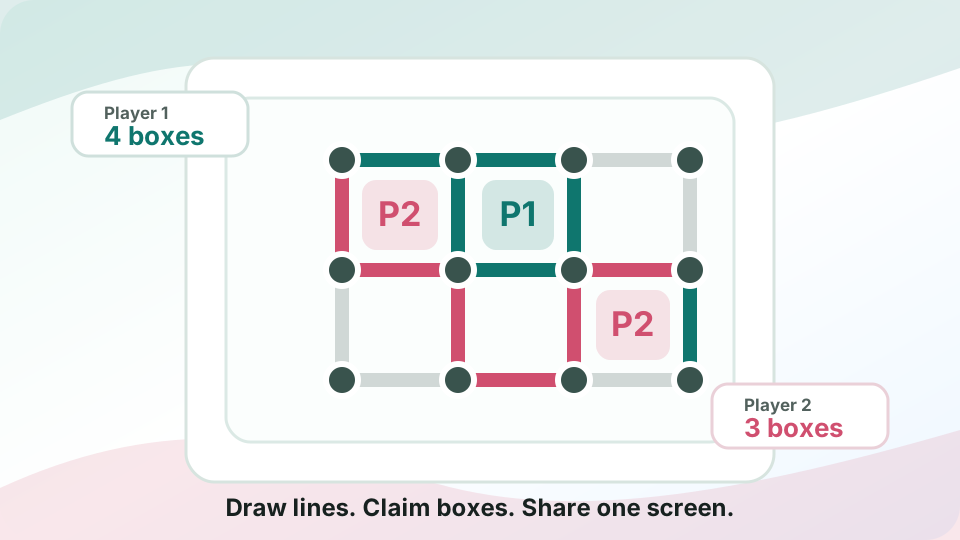
Use these steps before your first run.
Look for boxes with three sides before drawing a new line somewhere else.
Avoid handing over long chains of almost-finished boxes unless you can claim more on the next turn.
When you complete a box, use the extra move to check for another near-complete square.
Pass the same device after each non-scoring line so the shared-screen match stays clear.
What to focus on while playing.
Take turns drawing grid lines and claim every box you complete
Browse more local & shared play gamesSmall habits that help quickly.
Before you start playing.
Open Dots & Boxes, press Play, and follow the controls shown on the browser game panel. The how-to steps on this page cover the main objective, controls, and retry flow.
No. Dots & Boxes runs in the browser on Poket52, so you can play without downloading an app or creating an account.
Start with the basic controls, then focus on the game objective and one repeatable improvement habit, such as protecting space, checking moves, or using restart after a short practice round.