The game runs right here. Tap Full screen for an immersive view.
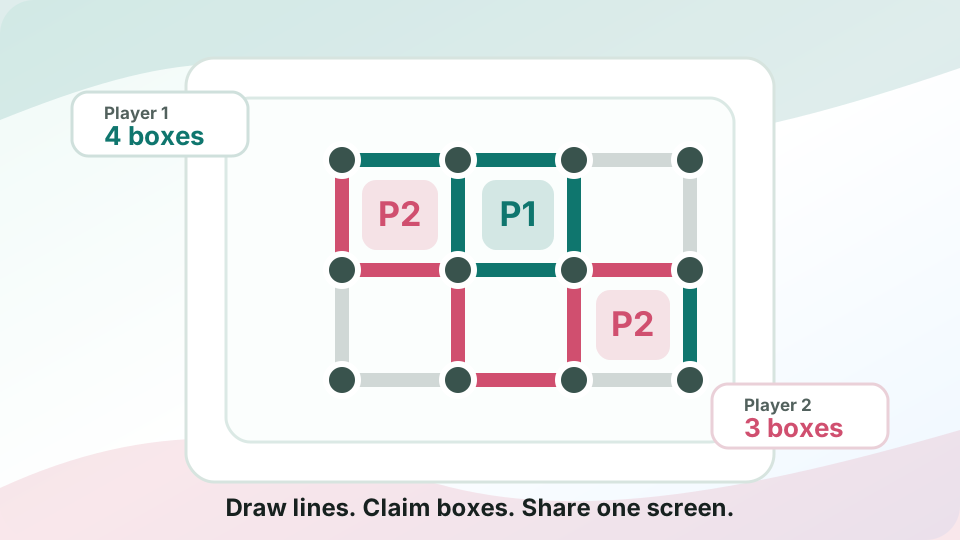
Dots & Boxes
👥 Local & Shared PlayTake turns drawing grid lines and claim every box you complete
Share one screen, take turns drawing one line at a time, and close the fourth side of each box to claim the score before the board fills up.
- Look for boxes with three sides before drawing a new line somewhere else.
- Avoid handing over long chains of almost-finished boxes unless you can claim more on the next turn.
- When you complete a box, use the extra move to check for another near-complete square.
- Pass the same device after each non-scoring line so the shared-screen match stays clear.




How to play Dots & Boxes
- Step 1 Look for boxes with three sides before drawing a new line somewhere else.
- Step 2 Avoid handing over long chains of almost-finished boxes unless you can claim more on the next turn.
- Track your result When you complete a box, use the extra move to check for another near-complete square.
- Play toward the objective Pass the same device after each non-scoring line so the shared-screen match stays clear.
Dots & Boxes — frequently asked questions
Is Dots & Boxes free to play?
Yes. Dots & Boxes is completely free to play on Poket52. There are no downloads, sign-ups, or in-app purchases required.
Can I play Dots & Boxes on mobile?
Yes. Dots & Boxes runs in any modern browser on both mobile and desktop. Just open the page and start playing — no app install needed.
Do I need to download anything to play Dots & Boxes?
No. Dots & Boxes is a browser game that plays instantly without any download. Open the game page on Poket52 and it loads directly in your browser.
Does Dots & Boxes work offline?
Dots & Boxes needs an internet connection to load initially, but once loaded, most game sessions continue without needing constant connectivity.
How many people can play Dots & Boxes?
Dots & Boxes is a shared-screen game designed for 2 or more players on the same device. Pass the device or share the screen to take turns.