How do I play Rummy on Poket52?
Open Rummy, press Play, and follow the controls shown on the browser game panel. The how-to steps on this page cover the main objective, controls, and retry flow.
Rules, controls, and tips
Draw, discard, and organize a 13-card hand into matching-rank sets and same-suit sequences in a quick solo card puzzle.
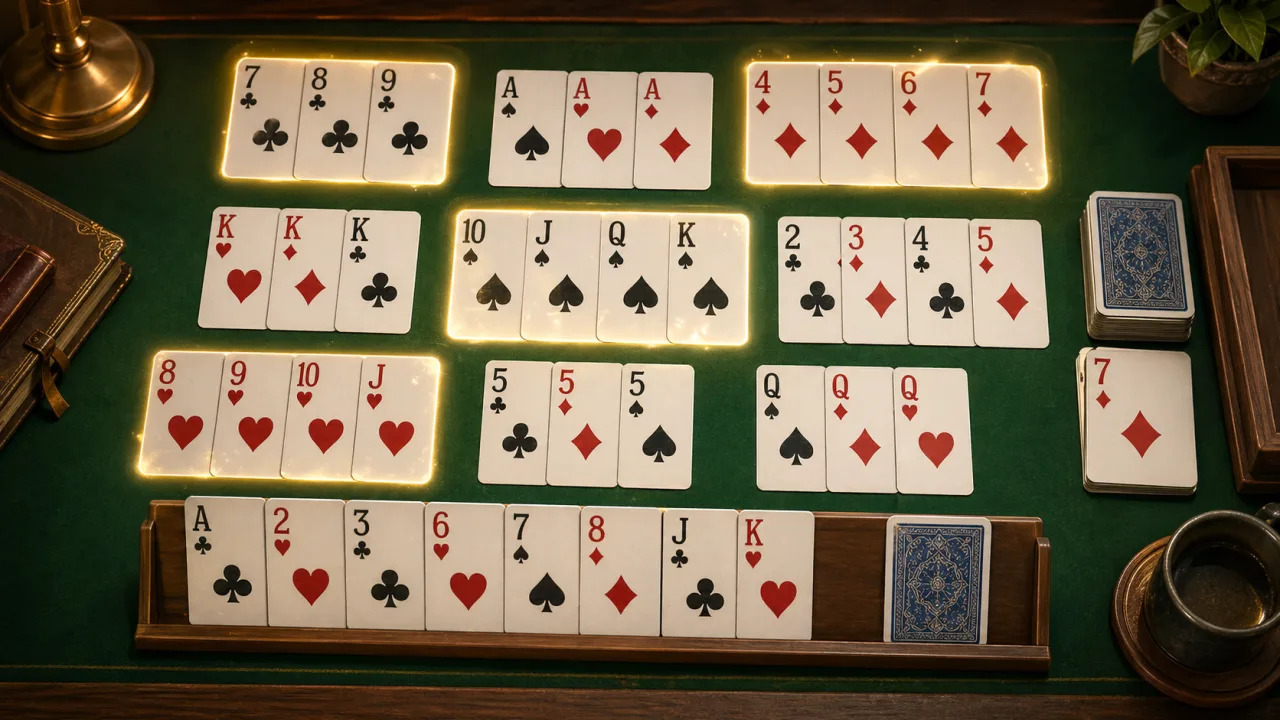
Use these steps before your first run.
Tap cards or press 1 through 0 to select cards in your hand.
A set needs three or four cards of the same rank in different suits.
A sequence needs three or more neighboring ranks in one suit.
Use Draw or the discard top when the hand needs one more card, then discard before drawing again.
Submit only after all 13 cards are laid into valid groups.
What to focus on while playing.
Arrange sets and sequences to clear a solo browser hand
Browse more card & board gamesSmall habits that help quickly.
Before you start playing.
Open Rummy, press Play, and follow the controls shown on the browser game panel. The how-to steps on this page cover the main objective, controls, and retry flow.
No. Rummy runs in the browser on Poket52, so you can play without downloading an app or creating an account.
Start with the basic controls, then focus on the game objective and one repeatable improvement habit, such as protecting space, checking moves, or using restart after a short practice round.